








🏠 Home 💰 Pricing & Packages 📱 Supported Devices ⚙️ Installation ❓ FAQ 📰 Blog & Guides ✉️ Contact
Live now · HD & 4K

The Best IPTV Provider
of 2026

Stream HD & 4K TV over the internet on Smart TVs, Fire TV Stick, Android devices, and more. Enjoy a wide selection of live channels, sports, entertainment, and international content, with dedicated coverage for viewers across the USA, Canada, UK, Australia, and Europe. Affordable IPTV packages starting from €2, with fast activation and reliable 24/7 customer support.

Stream the UEFA Champions League live on LuxaTV
⚽ Live
UEFA Champions League
Every match in HD & 4K
Stream NBA All-Star live on LuxaTV
🏀 Live
NBA All-Star
Every game, every dunk
Stream Formula 1 live on LuxaTV
🏎️ Live
Formula 1
Every race weekend
Stream UFC fights live on LuxaTV
🥊 Live
UFC
Fight nights & PPV events
And that's just a taste! Thousands more live sports, PPV events & channels are waiting on our servers. →
ABC live IPTV
ABC
ESPN live IPTV
ESPN
Live sports IPTV
Sports
Movies IPTV
Movies
Music IPTV
Music
News IPTV
News
HD+
Picture Quality
<1 hr
Activation
24/7
Support
✓No contract for the trial
✓Fast activation in minutes
✓24/7 customer support
✓All devices supported
✓Stable HD & 4K quality
Why LuxaTV?

Your Perfect IPTV Streaming Service

Experience the difference with a first-class IPTV service built for maximum speed and stability.

🎯

High Picture Quality

Enjoy streaming in crystal-clear HD and 4K quality. No buffering, no interruptions – pure TV enjoyment.

⚡

Instant Activation

Your IPTV access is activated within minutes. Order today and start watching right away – no long waits.

🔧

Easy Setup

No technical knowledge needed. Our step-by-step guides walk you through the installation effortlessly.

📱

Multi-Device Support

Use LuxaTV on Smart TV, smartphone, tablet, PC and Fire TV Stick. One subscription – all your devices.

📶

Stable Performance

Our server infrastructure guarantees 99% uptime and stable connections – even during high-traffic live events.

💬

24/7 Support

Our support team is available around the clock via email, WhatsApp and Telegram (@digitaldet) – fast and knowledgeable.

Device Compatibility

Works on All Your Devices

LuxaTV is compatible with all popular devices. Stream flexibly anywhere, anytime.

Smart TV IPTV

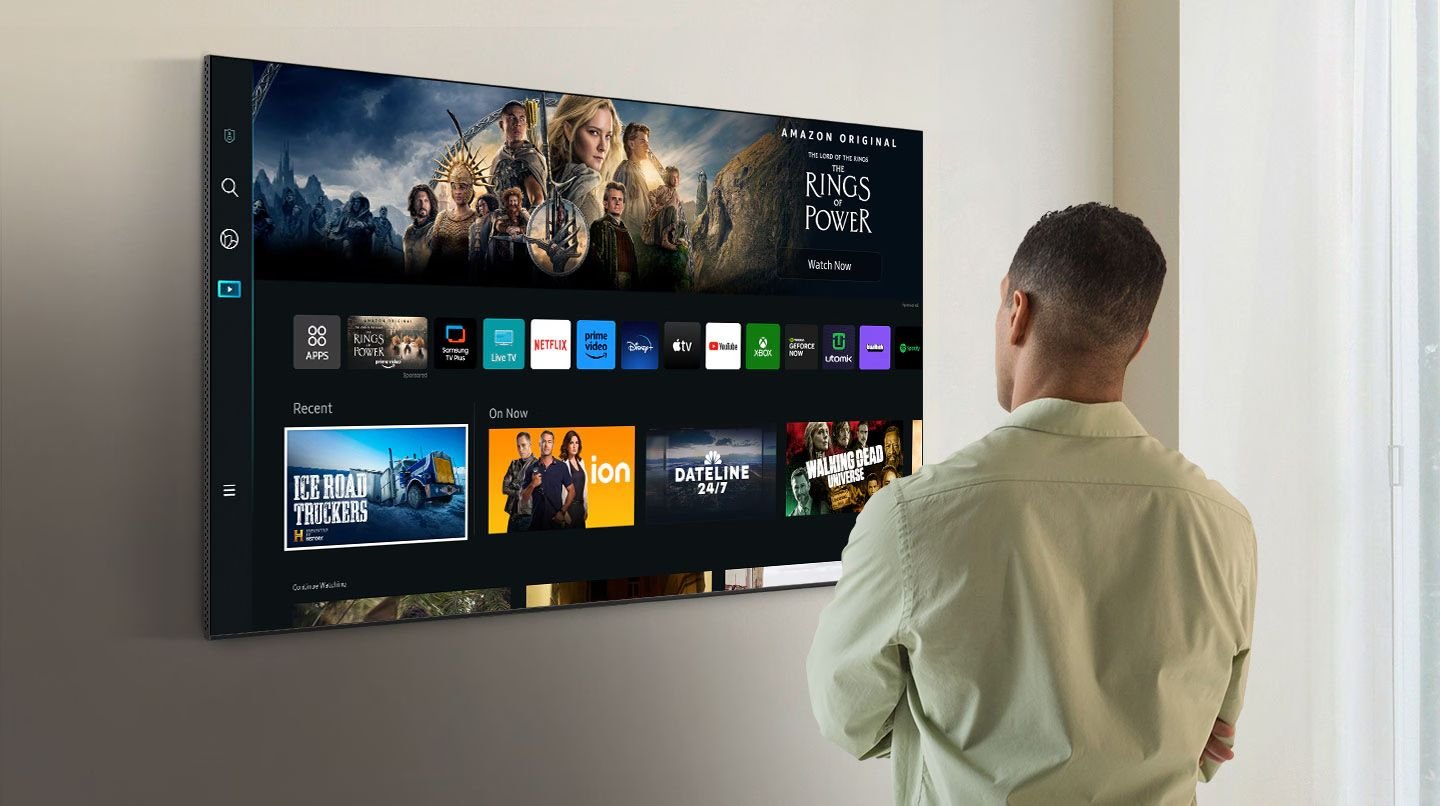
Smart TV

Samsung, LG, Sony

Android TV IPTV

Android TV

All Android TV boxes

Fire TV Stick IPTV

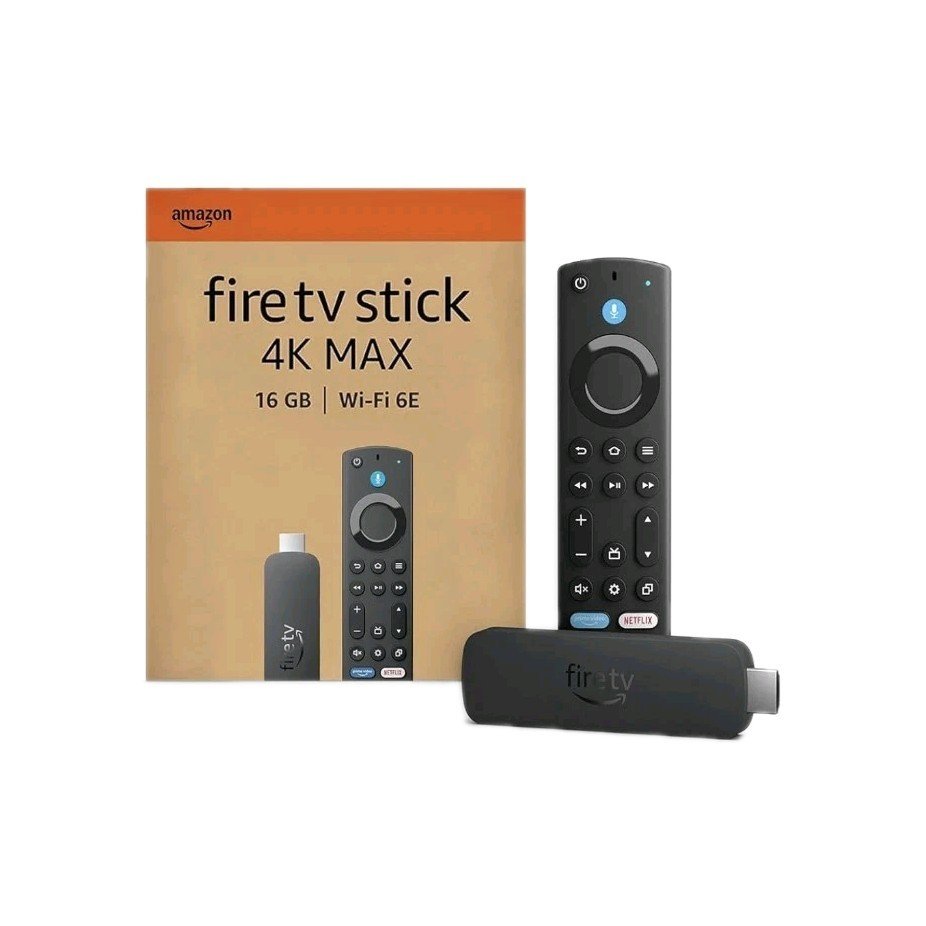
Fire TV Stick

All generations

Smartphone IPTV

Smartphones

Android & iOS

Windows PC IPTV

Windows PC

Win 10 & 11

Mac IPTV

Mac

macOS supported

Tablet IPTV

Tablets

iPad & Android

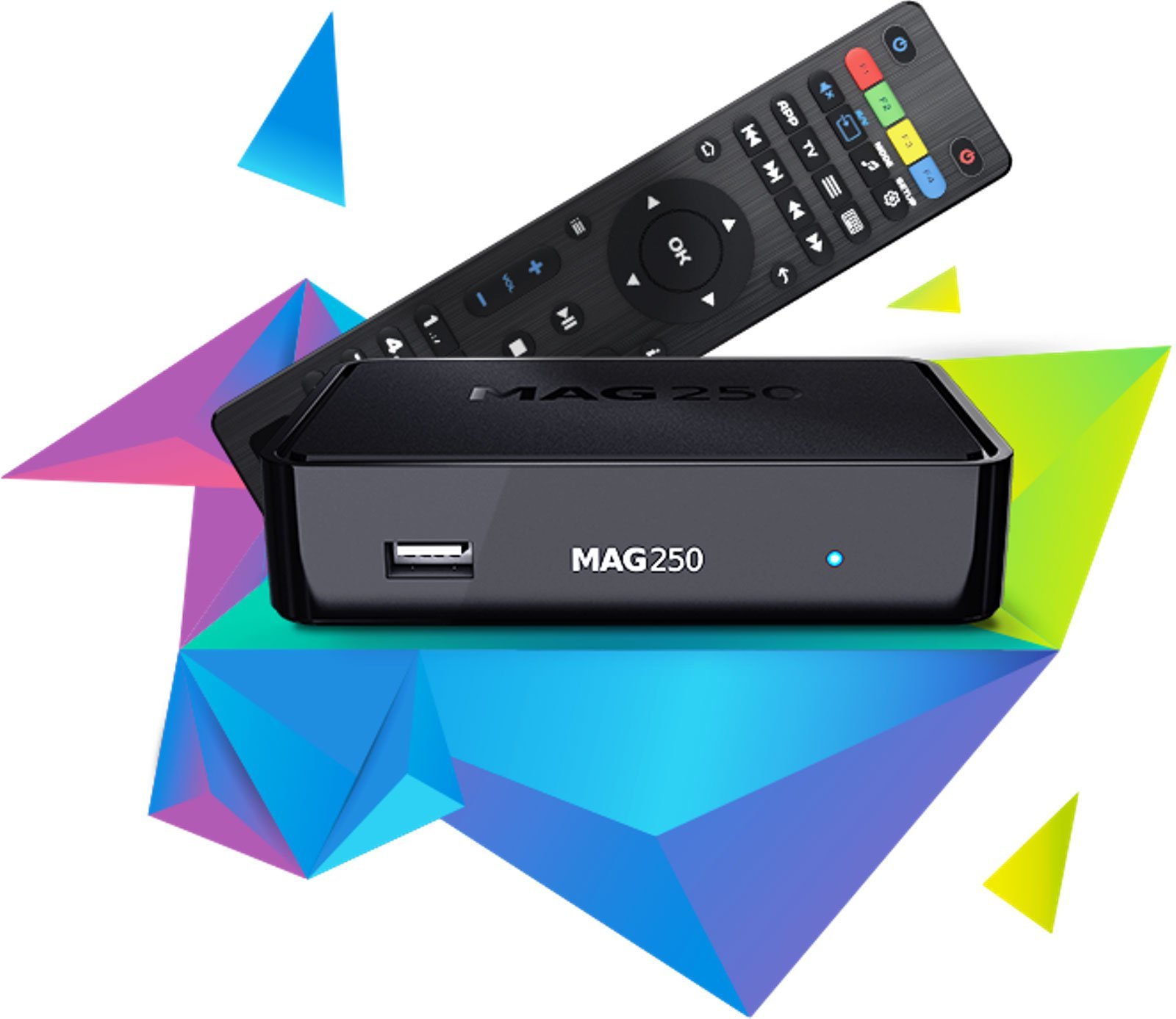
MAG Box IPTV

MAG Box

MAG 250/254/322

Pricing & Packages

Flexible IPTV Packages for Every Need

Choose the right package – from an affordable trial to an annual plan with maximum savings.

Trial Access
€2
24-hour trial
  • ✓Instant activation
  • ✓25,000+ TV channels worldwide
  • ✓100,000+ movies & series (VOD)
  • ✓HD, Full HD & 4K channels
  • ✓Premium sports + all PPV events
  • ✓Bundesliga, Champions League, World Cup 2026 & more
  • ✓Anti-freeze – 0% buffering
  • ✓EPG (TV guide) + catch-up
  • ✓All devices supported
  • ✓99% server uptime
  • ✓No contract
  • ✓24/7 support
Start Trial – €2
1 Month
€9.99
per month · flexible
  • ✓Instant activation
  • ✓25,000+ TV channels worldwide
  • ✓100,000+ movies & series (VOD)
  • ✓HD & Full HD channels
  • ✓Premium sports + all PPV events
  • ✓Bundesliga, Champions League, World Cup 2026 & more
  • ✓Anti-freeze – 0% buffering
  • ✓EPG (TV guide) + catch-up
  • ✓All devices supported
  • ✓99% server uptime
  • ✓Cancel anytime
  • ✓24/7 support
Choose Plan – €9.99
🏆 Best Value
12 Months
€55
12 months · approx. €4.58/month
  • ✓Instant activation
  • ✓25,000+ TV channels worldwide
  • ✓100,000+ movies & series (VOD)
  • ✓HD, Full HD & 4K channels
  • ✓Premium sports + all PPV events
  • ✓Bundesliga, Champions League, World Cup 2026 & more
  • ✓Anti-freeze – 0% buffering
  • ✓EPG (TV guide) + catch-up
  • ✓All devices supported
  • ✓99% server uptime
  • ✓Over 54% cheaper than monthly
  • ✓VIP WhatsApp & Telegram support 24/7
Get the Deal – €55
How It Works

Start IPTV Streaming in 3 Steps

It couldn't be easier. No technical knowledge required.

1

Choose a Package

Pick the IPTV package you want and complete your order securely in just a few seconds.

2

Receive Your Login

Get your personal login details straight to your email within a few minutes.

3

Start Streaming

Set up LuxaTV on your device and instantly enjoy thousands of channels. Step-by-step guide included.

Testimonials

What Our Customers Say

Thousands of satisfied LuxaTV customers.

★★★★★

"LuxaTV is absolutely top-notch! The picture quality is excellent and setup was a breeze. I've been using it for 6 months and I'm completely thrilled."

TM
Thomas M.
Munich
★★★★★

"Finally an IPTV provider that delivers what it promises. No buffering, great picture quality and support helped me right away. Highly recommended!"

SK
Sandra K.
Hamburg
★★★★★

"I went for the 12-month package for €55 and it was the best decision. The value for money is unbeatable. Works perfectly on my Samsung Smart TV."

MR
Markus R.
Berlin
★★★★★

"Very easy setup on the Fire TV Stick. Everything worked first time. Customer support is super friendly and very helpful."

LB
Laura B.
Cologne
★★★★☆

"Great service, stable connection and excellent picture quality. I use LuxaTV on my smartphone and Smart TV – it always runs smoothly."

JW
Jonas W.
Frankfurt
★★★★★

"I booked the 24-hour trial first and was so impressed that I went straight for the annual plan. The quality is truly first-class – definitely recommend!"

AH
Anna H.
Stuttgart
Frequently Asked Questions

Still Have Questions About LuxaTV?

What is IPTV and how does it work?▼
IPTV stands for Internet Protocol Television and refers to delivering TV signals over the internet. Unlike traditional cable or satellite TV, all content is streamed over your internet connection. All you need is a stable internet connection and a compatible device.
Can I test LuxaTV before buying?▼
Yes! We offer trial access for just €2. It lets you test LuxaTV for 24 hours with no obligation and see the picture quality for yourself – no subscription commitment.
How quickly is my access activated?▼
Your LuxaTV access is usually activated automatically within a few minutes of payment confirmation. You receive your login details directly by email.

Ready for First-Class IPTV Streaming?

Start today with the LuxaTV trial for just €2 and see for yourself.

IPTV Streaming

Why More and More People Are Switching to IPTV

More and more households are cancelling their expensive cable contracts and switching to modern IPTV streaming. With LuxaTV you stream your TV channels directly over your existing internet connection – in HD, Full HD and 4K – on all your devices, wherever you are.

Whether it's live sports, the FIFA World Cup 2026, news, movies or series – as a leading IPTV provider, LuxaTV offers a huge all-in-one package at fair prices from €2.

Our service works on Samsung Smart TV, LG TV, Fire TV Stick, Android TV, iPhone, Android smartphones, tablets, Windows PC and Mac. Setup takes just a few minutes – no prior knowledge needed.

📡

IPTV vs. Cable TV

IPTV costs up to 80% less than traditional cable TV – with maximum flexibility and channel variety.

⚽

World Cup 2026 & Live Sports

FIFA World Cup 2026, Bundesliga, Champions League and all major sporting events live in HD & 4K.

🚀

Optimized for Top Performance

24/7 support via WhatsApp & Telegram, worldwide channels and state-of-the-art servers for stable streams.

⚡

Instant & No Contract

No minimum contract term. Try LuxaTV for 24 hours for €2 – risk-free and cancel anytime.

IPTV vs. Cable vs. Satellite

LuxaTV IPTV: Head-to-Head Comparison

Why IPTV is the best choice for modern TV streaming.

Feature ✅ LuxaTV IPTV Cable TV Satellite
Price per monthfrom €2from €20from €15
HD & 4K quality✅ Always included⚠️ Sometimes extra cost⚠️ Partial
Contract term✅ No commitment❌ 24 months❌ 12–24 months
On all devices✅ Smart TV, mobile, PC...❌ TV only❌ TV only
Instant activation✅ Within minutes❌ Technician needed❌ Installation needed
Watch on the go✅ Use anywhere on mobile❌ Not possible❌ Not possible
World Cup 2026 & live sports✅ All matches in HD & 4K⚠️ Very limited⚠️ Limited
24/7 support✅ 24/7 WhatsApp & Telegram⚠️ Hotline⚠️ Hotline
IPTV Packages

Our IPTV Pricing & Packages

Fair prices, no hidden costs. Choose the IPTV subscription that fits your needs.

Trial Access
€2
24-hour trial
  • ✓Instant activation
  • ✓25,000+ TV channels worldwide
  • ✓100,000+ movies & series (VOD)
  • ✓HD, Full HD & 4K channels
  • ✓Premium sports + all PPV events
  • ✓Bundesliga, Champions League, World Cup 2026 & more
  • ✓Anti-freeze – 0% buffering
  • ✓EPG (TV guide) + catch-up
  • ✓All devices supported
  • ✓99% server uptime
  • ✓No contract
  • ✓24/7 support
Start Trial – €2
1 Month
€9.99
Monthly · Cancel anytime
  • ✓Instant activation
  • ✓25,000+ TV channels worldwide
  • ✓100,000+ movies & series (VOD)
  • ✓HD & Full HD channels
  • ✓Premium sports + all PPV events
  • ✓Bundesliga, Champions League, World Cup 2026 & more
  • ✓Anti-freeze – 0% buffering
  • ✓EPG (TV guide) + catch-up
  • ✓All devices supported
  • ✓99% server uptime
  • ✓Cancel anytime
  • ✓24/7 support
Choose Monthly – €9.99
🏆 Best Value
12 Months
€55
12 months · approx. €4.58/month
  • ✓Instant activation
  • ✓25,000+ TV channels worldwide
  • ✓100,000+ movies & series (VOD)
  • ✓HD, Full HD & 4K channels
  • ✓Premium sports + all PPV events
  • ✓Bundesliga, Champions League, World Cup 2026 & more
  • ✓Anti-freeze – 0% buffering
  • ✓EPG (TV guide) + catch-up
  • ✓All devices supported
  • ✓99% server uptime
  • ✓Over 54% cheaper than monthly
  • ✓VIP WhatsApp & Telegram support 24/7
Get Annual Plan – €55

Accepted Payment Methods

💳 Credit Card 🅿️ PayPal 🏦 Bank Transfer ₿ Crypto

All payments are SSL-encrypted and secure. No hidden fees.

Supported Devices

Device Compatibility

LuxaTV works on all popular devices. Stream on your Smart TV, smartphone, tablet or computer.

Smart TV IPTV Samsung LG Sony

Smart TV

Samsung Tizen, LG webOS, Sony Android TV

Android TV IPTV

Android TV

All Android TV boxes & streaming sticks

Amazon Fire TV Stick IPTV

Amazon Fire TV

Fire TV Stick 4K, Lite, Max & Cube

Android Smartphone IPTV

Android Smartphone

Android 5.0 and later

iPhone iOS IPTV

iPhone / iOS

iPhone & iPad, iOS 12 and later

Windows PC IPTV

Windows PC

Windows 10 and Windows 11

Mac macOS IPTV

Mac

macOS 10.13 and later

iPad Android Tablet IPTV

iPad / Tablet

iPadOS & Android tablets

Recommended IPTV Apps

For the best experience with LuxaTV, we recommend the following apps:

IPTV Smarters Pro

Android, iOS, Smart TV – Our recommendation

TiviMate

Android TV, Fire TV – Premium app

GSE Smart IPTV

iOS, Android – Versatile

VLC Media Player

PC, Mac – Free & open source

Setup

IPTV Installation – Step by Step

Setting up LuxaTV is a breeze. Follow our guide and you'll be ready to go in a few minutes.

1

Order a Package

Choose an IPTV package on our pricing page and complete your order with your preferred payment method.

2

Receive Your Login

You'll receive your login details (username & password plus M3U link) by email within a few minutes.

3

Set Up the App & Watch

Install a compatible IPTV app on your device, enter your details and start streaming right away.

Device-Specific Guides

📺

Samsung Smart TV

  1. Open the Smart TV app store
  2. Search for "IPTV Smarters" & install it
  3. Launch the app → select "Xtream Codes API"
  4. Enter URL, username & password
  5. Load the channel list & start watching
🔥

Amazon Fire TV Stick

  1. Open the Amazon Appstore
  2. Install the "Downloader" app
  3. Download the TiviMate APK
  4. Install and open the app
  5. Enter your M3U link or Xtream Code
📱

Android Smartphone / Tablet

  1. Open the Google Play Store
  2. Install "IPTV Smarters Pro"
  3. Open the app → add an account
  4. Enter your LuxaTV login details
  5. The channel list loads automatically
💻

Windows PC / Mac

  1. Download VLC Media Player
  2. Media → Open Network Stream
  3. Paste your LuxaTV M3U URL
  4. Click "Play"
  5. Or: use IPTV Smarters for Windows

Need Help With Installation?

Our support team is happy to help you personally with setup on any device – via WhatsApp and Telegram (@digitaldet).

Frequently Asked Questions

FAQ – Your Questions, Our Answers

Everything you need to know about LuxaTV IPTV streaming at a glance.

What is IPTV?▼
IPTV (Internet Protocol Television) is a technology for delivering TV signals over the internet. Unlike traditional cable or satellite TV, all content is streamed directly over your broadband connection. Enjoy live TV, series and movies comfortably on your Smart TV, smartphone or PC.
Which devices does LuxaTV support?▼
LuxaTV is compatible with a wide range of devices: Smart TVs (Samsung, LG, Sony), Android TV boxes and sticks, Amazon Fire TV Stick (all generations), Android smartphones and tablets, iPhone and iPad (iOS), Windows PCs and Macs, as well as MAG boxes. You'll find a detailed overview on our Device Compatibility page.
How quickly is my access activated?▼
Your LuxaTV IPTV access is usually activated automatically within a few minutes of payment confirmation. You receive your login details directly by email. In rare cases it can take up to 1 hour. If you have any questions, our support team is always happy to help.
Which payment methods does LuxaTV accept?▼
We accept credit cards (Visa, Mastercard), PayPal, bank transfer and popular cryptocurrencies. All payments are SSL-encrypted and processed with complete security. There are no hidden fees.
Do I need technical knowledge to set it up?▼
No, no technical knowledge is required at all. We provide easy-to-follow step-by-step guides for all supported devices. Our support team is also available anytime via WhatsApp and Telegram.
Can I test LuxaTV before buying?▼
Yes! We offer an affordable 24-hour trial for just €2. It lets you fully explore everything LuxaTV offers and see the picture quality and stability for yourself before booking a longer package.
How exactly does the technical setup work?▼
After purchase, you receive a username, password and an M3U link by email. You enter these details into a compatible IPTV app (such as IPTV Smarters Pro or TiviMate) on your device. The app loads the channel list automatically and you can start watching right away.
Does LuxaTV offer personal customer support?▼
Yes, we offer personal customer support via email, WhatsApp and Telegram (@digitaldet). Our support team is available Monday to Friday from 9:00 AM to 8:00 PM and on weekends from 10:00 AM to 6:00 PM, and helps you with all technical questions and setup.
How long does activation take after payment?▼
When paying by credit card, PayPal or crypto, activation usually happens automatically within 2 to 5 minutes. With a standard bank transfer, it can take 1 to 2 business days for the payment to arrive, depending on your bank.
Can LuxaTV IPTV be used on mobile?▼
Yes, LuxaTV can be used on mobile without restrictions. You can use our IPTV service on Android smartphones, iPhones and tablets. With a stable Wi-Fi or mobile connection (4G/5G) you can watch your favorite channels anywhere – even while travelling.

Have more questions? Contact us directly!

IPTV Knowledge & Tips

LuxaTV Blog – IPTV Guides & News

The latest guides, practical tips and news about IPTV streaming, Smart TV and Android TV.

Streaming Insights🕒 9 min read

What is the Best IPTV Service in 2026? Complete Expert Evaluation

The best IPTV service in 2026 delivers 99.9% server stability, dedicated AntiFreeze routing, 4K/60fps live sports, and transparent pricing without contracts. LuxaTV leads with a €2 trial, plans from €9.99/month and 24/7 support.

Read Article →
USA Streaming🕒 10 min read

Best IPTV Services in the USA (2026): Sports, Channels & Speed Analysis

Finding the best IPTV services in the USA requires low-latency North American routing, comprehensive regional sports networks (RSNs), and resilience against major ISP bandwidth throttling. LuxaTV offers reliable US streaming from €9.99 with instant activation and zero contracts.

Read Article →
Pricing & Billing🕒 8 min read

How Much Does IPTV Cost? 2026 Subscription Price Breakdown

Legitimate IPTV service costs range from €10 to €20 for 1 month, with annual plans priced between €50 and €80. LuxaTV offers transparent pricing: 24h trial (€2), 1M (€9.99), 6M (€35) and 12M (€55) with zero setup fees and instant delivery.

Read Article →
Guides & Tutorials🕒 8 min read

How to Subscribe to an IPTV Service in 2026: Step-by-Step Tutorial

Subscribing to an IPTV service involves selecting your plan duration, completing secure checkout, receiving Xtream Codes or M3U credentials via email within 15 minutes, and entering them into a certified player app like TiviMate or IPTV Smarters Pro.

Read Article →
Buyer Guides🕒 9 min read

What Should You Look for in an IPTV Service Provider? (2026 Checklist)

When choosing an IPTV service provider, prioritize server uptime (99.9%), dedicated AntiFreeze load balancing, genuine 60fps sports broadcasts, active EPG guides, transparent pricing with no contract locks, and accessible human support via WhatsApp or Telegram.

Read Article →
Technical Deep-Dives🕒 10 min read

How Do IPTV Services Work? A Complete 2026 Technical Architecture Overview

IPTV (Internet Protocol Television) converts traditional broadcast signals into compressed digital IP packets transmitted over the internet using unicast architecture. Unlike cable broadcasting, only the requested channel stream is sent to your device.

Read Article →
IPTV Guides
📺
June 10, 2026

IPTV 2026: The Ultimate Beginner's Guide

Everything you need to know about IPTV – from the basics to the perfect setup.

Smart TV Guides
🔥
June 5, 2026

How to Set Up IPTV on Samsung Smart TV – Step-by-Step Guide 2026

How to install and configure IPTV on your Samsung TV in just a few minutes.

Fire TV Tutorials
⚡
June 1, 2026

Amazon Fire TV Stick: Installing IPTV and Setting Up TiviMate

The best way to use IPTV on the Fire TV Stick – with TiviMate as the top app.

Streaming Tips
📶
May 28, 2026

Improve IPTV Streaming Quality: 10 Tips for Smooth, Stutter-Free TV

Optimize your IPTV playback with these proven settings and tricks.

Android TV
🤖
May 22, 2026

The Best IPTV Apps for Android TV Compared 2026

IPTV Smarters Pro, TiviMate or GSE Smart – which app suits you best?

Streaming Technology
🔬
May 18, 2026

M3U vs. Xtream Codes: Which Format Is Better for IPTV?

The differences between M3U playlists and the Xtream Codes API, clearly explained.

More Articles

IPTV GuidesSetting Up IPTV on LG Smart TV: Complete Guide for webOS
→
Streaming TipsOptimal Internet Speed for IPTV: What You Really Need
→
Fire TV TutorialsFire TV Stick 4K Max: Setup Guide for Maximum Picture Quality
→
Android TVSetting Up IPTV on Nvidia Shield TV – Pro Guide
→
IPTV GuidesCancelling an IPTV Subscription: Everything You Need to Know
→
Streaming Technology4K IPTV Streaming: What You Should Look Out For
→
Streaming Insights

What is the Best IPTV Service in 2026? Complete Expert Evaluation

← Back to Blog
Quick answer: The best IPTV service in 2026 delivers 99.9% server stability, dedicated AntiFreeze routing, 4K/60fps live sports, and transparent pricing without contracts. LuxaTV leads with a €2 24-hour trial, plans from €9.99/month, universal app compatibility, and responsive 24/7 human technical support.
Metric / FeatureTop-Tier IPTV (LuxaTV)Average Budget IPTVTraditional Cable TV
Cost Range€9.99/month – €55/year$15 – $25 / month$85 – $160 / month
Live Sports Framerate50 / 60 FPS in 4K & FHD25 / 30 FPS with drops60 FPS in 720p/1080i
Anti-Freeze Buffer TechIncluded (Dynamic Routing)None / High JitterN/A (Coaxial/Fiber)
Device CompatibilityFirestick, Android, iOS, TV, PCLimited / Stalker OnlyProprietary Set-Top Box
Activation SpeedInstant Digital (5–15 min)Hours to DaysRequires Tech Visit
Contract Lock-inZero Contract / Pre-paidMonth-to-month only12 to 24-Month Lock

What Makes an IPTV Service the "Best" in 2026?

Finding the best IPTV service in 2026 requires looking past inflated channel claims and scrutinizing real streaming architecture. In the modern landscape, raw channel counts exceeding 50,000 are often vanity metrics masking overloaded, jitter-heavy servers. The premier streaming platforms prioritize dedicated server bandwidth, edge-caching networks, dynamic load balancing, and consistent 60 frames-per-second (FPS) output on live sports broadcasts.

Whether you are streaming championship football matches, combat sports pay-per-view events, or international news broadcasts, the primary failure point of low-grade IPTV is peak-hour congestion. Premium services engineer their infrastructure around redundant load-balancing clusters to eliminate micro-freezes when millions of viewers tune in simultaneously.

The Five Core Benchmarks of 2026 Streaming Architecture

1. AntiFreeze Technology and Content Delivery Networks (CDN)

Traditional IPTV servers route all subscribers through single-origin data centers. When viewership surges during an NFL Sunday or Premier League derby, server CPUs spike to 100%, causing the notorious spinning wheel. Advanced 2026 providers like LuxaTV deploy intelligent edge-routing protocols. If a primary European or American server experiences latency above 45 milliseconds, the video stream automatically fails over to an adjacent edge node without dropping the connection.

2. True 60 FPS Sports Broadcasting

Fast-motion athletics cannot be enjoyed at 25 or 30 frames per second. At low framerates, footballs blur across the screen and camera pans create nauseating judder. Top-tier providers transcode live sports feeds into genuine 50/60 FPS at 1080p and 4K resolutions, preserving the stadium broadcast feel on large OLED and QLED screens.

3. Cross-Platform App Interoperability

A reputable provider never forces you to use a buggy, ad-riddled proprietary application. Instead, industry-standard services supply clean Xtream Codes API credentials and M3U playlist URLs compatible with class-leading players like TiviMate, IPTV Smarters Pro, XCIPTV, and GSE Smart IPTV.

4. Electronic Program Guide (EPG) Accuracy

An IPTV service without a reliable EPG makes channel navigation agonizing. Quality providers deliver XMLTV EPG links that refresh automatically every 24 hours, displaying current program timelines, detailed episode synopses, and upcoming schedules across 90%+ of cataloged channels.

5. Transparent Pricing and Direct Support

Deceptive subscription models with hidden auto-renewals or phantom setup fees have no place in a trustworthy service. Honest providers offer upfront, fixed-duration subscriptions (for example 1, 6 and 12 months) with accessible customer service via instant messaging platforms like WhatsApp and Telegram.

IPTV Pricing vs. Value Breakdown

Many newcomers assume that paying $30 per month guarantees premium quality. In reality, IPTV pricing is determined by server efficiency and distribution overhead. Because modern providers operate streamlined digital architectures without physical cables or regional broadcast franchise taxes, they pass massive savings to the consumer.

At LuxaTV, you can start with a 24-hour trial for just €2. Subscriptions cost €9.99 for a single month, scaling down to €55 for a comprehensive 12-month pass—amounting to less than €4.60 per month for unlimited live entertainment and high-definition sports.

How to Test and Verify an IPTV Provider in 2026

Before committing to an extended 12-month pass, follow this 4-step verification method:

  1. Start with a Trial or 1-Month Pass: Begin with the €2 24-hour trial or a 1-month plan to evaluate performance in your specific geographic location and ISP environment.
  2. Conduct Peak-Hour Testing: Stream live sports during peak evening weekend hours (8:00 PM – 11:00 PM) when network congestion peaks.
  3. Inspect the EPG Integration: Load the provider's EPG URL into TiviMate or Smarters to verify metadata synchronicity and channel logos.
  4. Test Customer Support Responsiveness: Message the provider's support desk with a routine setup question to gauge response time and technical competence.

Final Verdict: The 2026 Industry Standard

When evaluating overall server stability, frame-rate consistency, transparent pricing, and multi-device versatility, LuxaTV stands out as the definitive IPTV choice for sports enthusiasts and cord-cutters in 2026.

Try LuxaTV for 24 Hours

See the quality for yourself – full access for just €2, activated within minutes.

USA Streaming

Best IPTV Services in the USA (2026): Sports, Channels & Speed Analysis

← Back to Blog
Quick answer: Finding the best IPTV services in the USA requires low-latency North American routing, comprehensive regional sports networks (RSNs), and resilience against major ISP bandwidth throttling. LuxaTV offers reliable US streaming from €9.99 per month (or a €2 24-hour trial) with instant activation and zero contracts.
Service FeatureLuxaTV (USA Optimized)Standard Cable (Comcast/Spectrum)Live TV App (YouTube TV/Hulu)
Monthly Expense€9.99/mo, or €4.58/mo on the annual plan$95 – $140 / month$79.99 – $89.99 / month
Regional Sports NetworksIncluded (No Blackouts)Expensive Add-on TierFrequently Dropped/Missing
Equipment Rental Fees$0 (BYO Device)$15/mo per cable box$0
Simultaneous Streams1 Connection (Multi-device)Limited by physical boxes3 simultaneous streams
Setup Duration5 to 15 minutes onlineTechnician appointmentImmediate sign-up

The State of Cord-Cutting in the United States (2026)

Over 65 million American households have severed ties with traditional coaxial and satellite pay-TV providers. Skyrocketing monthly bills—often bloated past $150 per month by regional sports fees, broadcast TV surcharges, and mandatory set-top box rentals—have driven viewers toward IPTV alternatives.

However, navigating the US IPTV market requires addressing unique challenges, notably internet service provider (ISP) throttling and geographic blackout restrictions on live baseball, basketball, and football broadcasts.

Key Requirements for US IPTV Streaming

1. Regional Sports Networks (RSNs) & National Feeds

For US sports enthusiasts, national networks like ESPN, FOX, CBS, and NBC are only half the battle. Viewers need uninhibited access to Bally Sports, YES Network, NESN, Marquee Sports, and Altitude without geographic blackout algorithms preventing them from watching their home teams.

2. Bypassing Major US ISP Throttling (Comcast, AT&T, Spectrum, Verizon)

Prominent US telecommunications providers actively deploy deep packet inspection (DPI) to identify high-bandwidth video streams and artificially cap connection speeds during primetime events. A superior IPTV service must employ optimized port configurations and obfuscated streaming protocols that blend seamlessly with standard HTTPS traffic.

3. Local Broadcast Affiliates (ABC, CBS, NBC, FOX, PBS)

Cord-cutters still rely on local affiliate stations for morning news, severe weather tracking, and prime-time network broadcasts across major US metropolitan markets (New York, Los Angeles, Chicago, Dallas, Miami).

Detailed USA Pricing Comparison

Provider TypeTypical Monthly BillAnnual TotalHidden Fees
Traditional Cable (Xfinity/Spectrum)$125.00$1,500.00Broadcast TV fee ($25), Regional sports ($15), Box rental ($15)
Corporate vMVPD (YouTube TV/Fubo)$84.99$1,019.88Local broadcast taxes, 4K add-on ($10)
LuxaTV 12-Month Plan€4.58 (approx. $5.00)€55.00 (approx. $60.00)$0.00 (Zero hidden fees)

As demonstrated above, transitioning from conventional cable or corporate streaming packages to an annual LuxaTV subscription saves an American household more than $900 to $1,400 annually while significantly expanding live channel access.

Hardware Setup for US Households

The vast majority of US streamers utilize Amazon Fire TV devices (Firestick 4K Max, Fire TV Cube) or Google TV devices (Chromecast with Google TV, Nvidia Shield). Setting up IPTV on these devices requires under ten minutes:

  1. Enable developer options on your Firestick or Android TV.
  2. Install the free Downloader application from the official Amazon or Google App Store.
  3. Install a certified player such as TiviMate or IPTV Smarters Pro.
  4. Input your LuxaTV login credentials and start watching immediately.

Summary

For viewers in the United States seeking an uncompromising sports lineup, fluid 60 FPS feeds, and freedom from predatory cable contracts, LuxaTV provides the ideal balance of performance, affordability, and customer support.

Ready to Cut the Cord?

Test LuxaTV in the USA for 24 hours – just €2, no contract.

Pricing & Billing

How Much Does IPTV Cost? 2026 Subscription Price Breakdown

← Back to Blog
Quick answer: Legitimate IPTV service costs range from €10 to €20 for 1 month, with annual plans priced between €50 and €80. LuxaTV offers transparent pricing: 24-hour trial (€2), 1 month (€9.99), 6 months (€35) and 12 months (€55) with zero setup fees and instant delivery.
Plan DurationLuxaTV Price (EUR)Monthly EquivalentBest Used For
24-Hour Trial€2.00–Testing picture quality and stability on your own connection
1 Month€9.99€9.99 / monthShort-term viewing, single tournament coverage
6 Months€35.00€5.83 / monthMost popular for complete sports season coverage
12 Months€55.00€4.58 / monthMaximum long-term value for permanent cord-cutters

Demystifying IPTV Subscription Pricing

One of the most frequent inquiries from prospective cord-cutters is: How much should an IPTV subscription actually cost? The market features everything from suspicious $2/month services operating on volatile, oversold servers to overpriced resellers charging $35/month for basic re-streams.

Understanding the economics behind server hosting, high-bitrate encoding, bandwidth transit, and 24/7 technical customer support clarifies why sustainable pricing sits between €9.99 and €55 depending on duration.

Why "Free" and Ultra-Cheap IPTV Services Fail

If a monthly IPTV subscription is advertised for free or under $3 per month, it almost invariably suffers from critical deficiencies:

  • Server Overcrowding: Hundreds of users crammed onto unmonitored virtual machines, leading to severe buffering the minute a marquee sporting event kicks off.
  • Security Vulnerabilities: Many zero-cost APKs bundle aggressive adware, spyware, or malicious background crypto-mining scripts.
  • Sudden Service Disappearance: Without a sustainable operational revenue model, fly-by-night providers disappear within weeks, taking your money with them.

Note: LuxaTV's €2 offer is a 24-hour trial of the full service, not a monthly plan – it exists so you can test real performance before choosing a subscription.

LuxaTV's Transparent Pricing Model

At LuxaTV, our pricing structure is engineered around clarity and customer flexibility. We do not engage in deceptive introductory discounts that double upon renewal, nor do we trap subscribers in multi-year contractual bindings.

1. LuxaTV 24-Hour Trial (€2)

The ultimate low-risk evaluation. Full access to channels, VOD and sports for 24 hours so you can test stream stability on your home Wi-Fi network before committing.

2. LuxaTV 1 Month (€9.99)

Perfect for following a single-month sports event (e.g., FIFA World Cup, Olympic Games, or NFL Playoffs) or for viewers who prefer maximum flexibility. Cancel anytime.

3. LuxaTV 6 Months (€35)

Our most popular package. At just €5.83 per month equivalent—over 40% cheaper than monthly—this tier covers an entire competitive league campaign (Premier League, NBA regular season, Formula 1 calendar) and includes priority email support.

4. LuxaTV 12 Months (€55)

The gold standard for permanent cord-cutters. For €55 annually—amounting to €4.58 per month—you lock in complete sports, entertainment, movies, and series coverage for a full 365 days, with VIP WhatsApp & Telegram support.

Payment Flexibility & Security

  • Card Checkout: Processed securely via SSL-encrypted billing partners without storing payment card numbers on our server.
  • Alternative Methods: For privacy-conscious streamers, LuxaTV also accepts PayPal, Cryptocurrency, and Bank Transfer – contact our support via WhatsApp (+44 7465 245834) or Telegram (@digitaldet).

Final Conclusion

Investing in a reputable, fairly priced service like LuxaTV ensures pristine 4K/FHD streaming, reliable EPG data, and human support whenever you need assistance.

Compare All LuxaTV Plans

From a €2 trial to the €55 annual plan – no hidden fees.

Guides & Tutorials

How to Subscribe to an IPTV Service in 2026: Step-by-Step Tutorial

← Back to Blog
Quick answer: Subscribing to an IPTV service involves selecting your plan duration, completing secure checkout, receiving Xtream Codes or M3U credentials via email within 15 minutes, and entering them into a certified player app like TiviMate or IPTV Smarters Pro.
StepAction RequiredEstimated TimeKey Tools Needed
Step 1Select your plan (24h trial, 1M, 6M, 12M)1 MinuteWeb browser on phone or PC
Step 2Complete encrypted checkout or request alternative payment2 MinutesCredit Card / PayPal / Crypto
Step 3Receive credentials (Username, Password, URL)5 – 15 MinutesEmail inbox & WhatsApp
Step 4Install IPTV player application3 MinutesDownloader / App Store on device
Step 5Log in via Xtream Codes API & sync EPG2 MinutesTV remote / virtual keyboard

Simplifying the IPTV Subscription Process

Transitioning from conventional cable or satellite TV to an IPTV subscription is straightforward once you understand the basic components: your streaming device, your IPTV player app, and your service credentials.

This step-by-step tutorial walks you through subscribing to LuxaTV and getting your channels running in under 15 minutes.

Step 1: Choosing Your Subscription Plan

Go to the LuxaTV pricing page and select the plan that best suits your viewing schedule:

  • 24-Hour Trial (€2): Recommended if you want to verify stream performance on your home connection.
  • 1 Month (€9.99): Flexible, cancel anytime – great for a single tournament.
  • 6 Months (€35): Most popular plan for full sports league coverage.
  • 12 Months (€55): Best overall value, averaging €4.58 per month.

Step 2: Completing Secure Checkout

Click your plan's button (e.g., "Start Trial" or "Get Annual Plan"). You will be directed through our secure billing gateway:

  • Verify your plan duration and price in EUR.
  • Enter a valid email address. Make sure it is typed accurately, as your login credentials and activation guide will be sent there.
  • If you prefer paying via PayPal, crypto, or bank transfer, contact our support team directly via WhatsApp (+44 7465 245834) or Telegram (@digitaldet) to receive payment details.

Step 3: Receiving Your Activation Credentials

Within 5 to 15 minutes of payment verification, check your email inbox (and spam/junk folder just in case). You will receive your LuxaTV setup details containing:

  • Server Portal URL: The secure server address for Xtream Codes login.
  • Username & Password: Your unique account credentials.
  • M3U Playlist URL: Direct link for players that support playlist file loading.
  • EPG XMLTV Link: The auto-updating electronic program guide source.

Step 4: Installing an IPTV Player on Your Device

Unlike standard streaming platforms that lock you into proprietary software, LuxaTV gives you the freedom to choose your preferred media player:

  • Amazon Firestick / Fire TV: Open the Downloader app and install TiviMate IPTV Player or IPTV Smarters Pro.
  • Android TV / Google TV: Download TiviMate or XCIPTV directly from the Google Play Store.
  • Apple TV / iOS: Install IPTVX or GSE Smart IPTV from the Apple App Store.
  • Samsung / LG Smart TVs: Search for Smart IPTV (SIPTV) or IBO Player in your TV's app store.

Step 5: Logging In and Syncing Channels

  1. Launch your chosen IPTV player.
  2. Select Add Playlist and choose Xtream Codes API (this is faster and more reliable than typing out long M3U URLs).
  3. Enter any name you like in the Playlist Name field (e.g., "LuxaTV").
  4. Copy and paste the Server URL, Username, and Password exactly as provided in your activation email.
  5. Click Add User or Login. Your app will automatically fetch channel categories, VOD movies, series, and the EPG timeline.

You are now ready to stream thousands of live channels and global sports in crystal-clear high definition!

Need Help With Setup?

Our support team will guide you personally on any device – via WhatsApp and Telegram.

Buyer Guides

What Should You Look for in an IPTV Service Provider? (2026 Checklist)

← Back to Blog
Quick answer: When choosing an IPTV service provider, prioritize server uptime (99.9%), dedicated AntiFreeze load balancing, genuine 60fps sports broadcasts, active EPG guides, transparent pricing with no contract locks, and accessible human customer support via WhatsApp or Telegram.
Evaluation FactorHigh-Quality Provider (LuxaTV)Low-Grade ResellerWhy It Matters
Server InfrastructureDedicated edge servers with load balancingOverloaded single VPS resold to hundredsPrevents freezing during major sports finals
Customer SupportReal human agents via WhatsApp/TelegramUnresponsive email ticket queueImmediate resolution for setup or playlist issues
Channel OrganizationCleanly tagged categories & working EPGDisorganized duplicates with broken namesEffortless navigation and program scheduling
Video Framerate50 / 60 FPS on sports & premium feeds25 / 30 FPS judder-heavy transcodeEssential for tracking fast-motion sports action
Subscription TermsTransparent fixed pricing (24h trial to 12M)Hidden monthly auto-renewalsYou retain full financial control

Navigating the Crowded IPTV Marketplace

With thousands of websites advertising television streaming over the internet, telling an elite, dependable service provider from an unvetted reseller can be challenging. Many services present polished landing pages, yet crumble the moment high-profile sporting events create peak traffic surges.

To protect your investment and guarantee an uninterrupted streaming experience, evaluate any prospective provider against this comprehensive 2026 technical checklist.

1. Server Redundancy & AntiFreeze Architecture

The hallmark of a premier IPTV service is uptime stability. When a service advertises "AntiFreeze technology," what does that technically mean?

  • Load Balancing: Distributing incoming network traffic evenly across an interconnected cluster of high-speed servers.
  • Failover Routing: If a primary data center suffers packet loss, network traffic reroutes instantly to a secondary mirror server without buffering.
  • Bandwidth Capping Prevention: Deploying servers with unmetered 10 Gbps and 40 Gbps network ports to prevent bandwidth choking during peak viewing hours.

2. Live Sports Performance: Framerate and Bitrate

Streaming live television is radically different from watching pre-recorded on-demand movies. While Netflix and Amazon Prime can pre-buffer several minutes of content into your device's memory, live sports must be encoded and delivered in real time with mere seconds of latency.

  • Ensure the provider supports 50 FPS and 60 FPS streams on national and international sports channels.
  • Avoid providers that downscale feeds to 720p or lower bitrates to cut server transit expenses.

3. Electronic Program Guide (EPG) Integrity

A television subscription is virtually unusable without an intuitive program guide. The best providers maintain synchronized XMLTV feeds that update daily, ensuring your channel guide displays accurate program names, start/end times, and plot descriptions.

4. Human-First Customer Support

When you encounter a stream configuration issue or need playlist filtering, an automated bot or an unattended ticketing system is frustrating.

  • Look for providers offering direct human interaction via modern instant messaging channels.
  • LuxaTV maintains dedicated technical support via WhatsApp (+44 7465 245834) and Telegram (@digitaldet), providing prompt assistance for installation, app setup, and payment arrangements.

5. Transparent Billing

Never subscribe to a service that forces you into a recurring auto-charge without an effortless cancellation mechanism. Trustworthy providers offer clear fixed prices and let you test the service before committing.

At LuxaTV, every plan – from the €2 24-hour trial to the €55 annual plan – has a fixed price with no hidden fees and no long-term contract.

Put LuxaTV to the Test

Run through this checklist yourself with our €2 24-hour trial.

Technical Deep-Dives

How Do IPTV Services Work? A Complete 2026 Technical Architecture Overview

← Back to Blog
Quick answer: IPTV (Internet Protocol Television) converts traditional broadcast signals into compressed digital IP packets transmitted over the internet using unicast architecture. Unlike cable broadcasting, only the requested channel stream is sent to your device, maximizing bandwidth efficiency and visual quality.
Broadcasting ModelSignal TransmissionBandwidth UtilizationDevice Dependency
IPTV (LuxaTV)Internet Protocol (TCP/UDP Unicast)Only requested stream consumes bandwidthUniversal (Firestick, Android, iOS, Smart TV)
Traditional CableCoaxial Cable (RF Frequency)All channels broadcast simultaneouslyProprietary cable box required
Satellite TVDirect Microwave Satellite DishAll transponders beamed down continuouslySpecialized satellite dish & receiver
Terrestrial OTAOver-the-Air Radio WavesLimited local channels via UHF/VHFDigital TV antenna required

Understanding the Shift to Internet Protocol Television

For decades, television delivery was constrained by physical infrastructure: coaxial cables buried beneath city streets or satellite dishes pointed toward geostationary orbit. Both methods rely on continuous broadcasting: every channel in the lineup is pumped into your home simultaneously, and your television tuner filters out the single frequency you want to view.

Internet Protocol Television (IPTV) turns this model on its head. Instead of transmitting every channel at all times, IPTV works on a request-based architecture over standard internet protocol—delivering only the specific stream you choose to watch.

The IPTV Pipeline: From Broadcast Capture to Your Living Room

  1. Signal Acquisition: Satellite & terrestrial dishes capture broadcast feeds.
  2. Hardware Transcoding: Feeds are encoded to H.264 & HEVC/H.265 60fps format.
  3. Origin Cluster: Middleware and load balancers distribute active streams.
  4. Edge CDN Network: AntiFreeze dynamic routing mitigates peak traffic.
  5. Client Player: The stream renders in TiviMate, Smarters, or Smart TV apps.

Step 1: Signal Acquisition (Downlink)

The process begins at secure broadcast teleport facilities equipped with enterprise satellite dish arrays. These receiver arrays capture uncompressed digital feeds directly from broadcast satellites and terrestrial fiber links.

Step 2: Real-Time Transcoding (H.264 & HEVC/H.265)

Raw satellite feeds transmit at bitrates far too large for residential internet connections (often 20 to 50 Mbps per channel). Dedicated hardware encoders compress and transcode these video streams into optimized H.264 (AVC) and H.265 (HEVC) formats, preserving crisp 1080p and 4K resolutions at manageable bitrates of 6 to 15 Mbps.

Step 3: Stream Packaging & Protocol Delivery

Once transcoded, the video feeds are segmented into standard internet streaming formats:

  • HLS (HTTP Live Streaming): Breaks video into short chunks, ensuring seamless playback across iOS, Apple TV, and web browsers.
  • MPEG-TS (Transport Stream): The high-performance protocol favored by dedicated IPTV players like TiviMate and MAG boxes for instant channel switching.

Step 4: Xtream Codes API & M3U Middleware

When you enter your LuxaTV login credentials into an app, your device communicates with our middleware authentication server. The API returns:

  1. An index of authorized live channel categories and VOD libraries.
  2. The direct RTSP/HTTP endpoints for each stream.
  3. The Electronic Program Guide (EPG) XMLTV timeline.

Why IPTV Delivers Superior Quality and Scalability

Because IPTV uses unicast data transmission, network resources are concentrated solely on the channel you are actively watching. This allows providers like LuxaTV to deliver full 60 FPS sports broadcasts with dynamic bitrate scaling, ensuring your stream adapts intelligently to fluctuations in your home internet connection.

Experience It Yourself

See IPTV technology in action – try LuxaTV for 24 hours for €2.

IPTV Guides

IPTV 2026: The Ultimate Beginner's Guide

← Back to Blog
Quick answer: IPTV delivers live TV, movies and series over your internet connection instead of cable or satellite. All you need is a stable connection (15+ Mbps for Full HD), a compatible device such as a Smart TV or Fire TV Stick, an IPTV player app, and a subscription like LuxaTV – setup takes about 10 minutes.

What Is IPTV?

IPTV (Internet Protocol Television) is television delivered over the internet. Instead of a coaxial cable or satellite dish, the TV signal reaches your screen as data – the same way Netflix or YouTube does. The difference is that IPTV gives you live channels with a TV guide, just like traditional television, plus on-demand movies and series.

Because only the channel you are watching is streamed to you, IPTV is flexible: you can watch on your living room TV, your phone on the train, or your laptop in a hotel – all with a single subscription.

What Do You Need to Get Started?

  1. A stable internet connection: 10 Mbps for HD, 15–25 Mbps for Full HD and 25+ Mbps for 4K. A wired Ethernet connection gives the best results.
  2. A compatible device: Samsung, LG or Sony Smart TV, Amazon Fire TV Stick, Android TV box, smartphone, tablet, Windows PC, Mac or MAG box.
  3. An IPTV player app: for example IPTV Smarters Pro, TiviMate, GSE Smart IPTV or VLC Media Player.
  4. An IPTV subscription: this gives you the login details (username, password and server URL or M3U link) that the app uses to load your channels.

Key Terms Explained

  • M3U playlist: a link containing your full channel list. Supported by almost every player.
  • Xtream Codes: a login method using a server URL, username and password. Faster to set up and loads movies, series and the TV guide automatically.
  • EPG (Electronic Program Guide): the TV guide showing what's on now and next.
  • Catch-up: lets you watch programs that already aired on supported channels.
  • VOD (Video on Demand): movies and series you can start at any time.
  • Anti-freeze: server technology that reduces buffering during busy live events.

How to Set Up IPTV in 3 Steps

  1. Choose a plan: with LuxaTV you can start with a 24-hour trial for €2, or pick 1 month (€9.99), 6 months (€35) or 12 months (€55).
  2. Receive your login: your access details arrive by email within minutes.
  3. Install an app and log in: enter your details in an IPTV app and your channels load automatically. See our installation guide for device-specific steps.

Beginner Mistakes to Avoid

  • Relying on weak Wi-Fi: if your router is far from the TV, use a cable or a 5 GHz network.
  • Committing to a long plan without testing: always test with a short trial first.
  • Downloading unknown "free IPTV" apps: these often contain malware. Stick to well-known players.
  • Mistyping login details: copy and paste your details exactly as they appear in the email.

Conclusion

IPTV is the simplest way to replace expensive cable TV in 2026. With a decent internet connection and a few minutes of setup, you get live TV, sports, movies and series on every device you own.

Start Your IPTV Journey

Try LuxaTV for 24 hours for just €2 – activated within minutes.

Smart TV Guides

How to Set Up IPTV on Samsung Smart TV – Step-by-Step Guide 2026

← Back to Blog
Quick answer: To set up IPTV on a Samsung Smart TV, open the Samsung Apps store, install an IPTV player such as IPTV Smarters, IBO Player or Smart IPTV, then log in with your LuxaTV Xtream Codes details (server URL, username, password). The channel list loads automatically in about 2 minutes.

Before You Start

  • A Samsung Smart TV running Tizen OS (most models from 2017 onward).
  • Your LuxaTV login details from your activation email.
  • A stable connection – ideally an Ethernet cable plugged directly into the TV.

Step 1: Open the Samsung App Store

Press the Home button on your remote and go to Apps. Use the search icon (magnifying glass) in the top-right corner.

Step 2: Install an IPTV Player

Search for one of the following apps and install it. Availability can vary by region and TV model:

  • IPTV Smarters – our recommendation; supports Xtream Codes login.
  • IBO Player – clean interface; the playlist is added via the app's website using your TV's MAC address.
  • Smart IPTV (SIPTV) – M3U-based; the playlist is uploaded via the app's website.

Step 3: Log In With Xtream Codes

  1. Open the app and choose Login with Xtream Codes API.
  2. Enter any name (for example "LuxaTV").
  3. Type your username, password and server URL exactly as shown in your email – including http:// and the port number.
  4. Select Add User. The app downloads your live channels, movies, series and TV guide.

Step 4: Optimize Your Settings

  • Load the EPG (TV guide) from the app's settings if it doesn't appear automatically.
  • Set the picture mode to Movie or Filmmaker Mode for the most natural colors.
  • Turn off Auto Motion Plus if fast sports look unnatural to you.
  • Add your favorite channels to a favorites list for quick access.

Troubleshooting

  • "Invalid login": check for extra spaces or a missing port in the server URL.
  • App not found: some apps aren't available in every region – try one of the alternatives above.
  • Buffering: switch from Wi-Fi to Ethernet and restart your router.

Still stuck? Our support team will walk you through setup on your exact model via WhatsApp or Telegram.

Need Help With Your Samsung TV?

Message us – we'll help you get set up in minutes.

Fire TV Tutorials

Amazon Fire TV Stick: Installing IPTV and Setting Up TiviMate

← Back to Blog
Quick answer: To use IPTV on a Fire TV Stick, enable Developer Options, allow the Downloader app to install unknown apps, download TiviMate through Downloader, then add your LuxaTV playlist using Xtream Codes. The whole process takes about 10 minutes.

Why TiviMate?

TiviMate is one of the most popular IPTV players on Fire TV and Android TV. It has a cable-TV-style guide, fast channel switching, favorites, catch-up support and multiple playlists. The free version works well; the optional Premium upgrade adds recording and extra customization.

Step 1: Enable Developer Options

  1. Go to Settings → My Fire TV → About.
  2. Select your device name (e.g., "Fire TV Stick 4K") 7 times until you see "You are now a developer".
  3. Go back to My Fire TV → Developer Options.

Step 2: Install Downloader

  1. From the Home screen, open Find → Search and search for Downloader.
  2. Install the app (orange icon by AFTVnews).
  3. In Developer Options → Install unknown apps, turn Downloader ON.

Step 3: Download TiviMate

  1. Open Downloader and enter the official TiviMate download address in the URL box.
  2. Wait for the download and select Install.
  3. Select Delete afterwards to free up storage – the app stays installed.

Step 4: Add Your LuxaTV Playlist

  1. Open TiviMate and select Add Playlist.
  2. Choose Xtream Codes.
  3. Enter the server URL, username and password from your LuxaTV email.
  4. Confirm – TiviMate loads your channels, movies, series and TV guide.

Pro Tips for Fire TV

  • Use an Ethernet adapter for the most stable streams, especially during live sports.
  • Clear the app cache regularly under Settings → Applications → Manage Installed Applications.
  • Keep at least 1 GB of storage free – a full Fire Stick slows down noticeably.
  • Restart the Fire Stick once a week (hold Select + Play for 5 seconds).

Get Your LuxaTV Login

Start with a 24-hour trial for €2 and test it on your Fire TV Stick.

Streaming Tips

Improve IPTV Streaming Quality: 10 Tips for Smooth, Stutter-Free TV

← Back to Blog
Quick answer: Most IPTV buffering is caused by the home network, not the provider. Use a wired Ethernet connection or 5 GHz Wi-Fi, restart your router, close background apps, switch the player's decoder mode and increase the buffer size – these steps fix the majority of stuttering issues.

1. Use a Wired Connection

Ethernet is the single biggest improvement you can make. Wi-Fi is affected by walls, distance and neighbors' networks; a cable is not. For Fire TV Sticks, an inexpensive Ethernet adapter does the job.

2. Switch to 5 GHz Wi-Fi

If a cable isn't possible, connect to your router's 5 GHz network. It is much faster and less congested than 2.4 GHz – though it has a shorter range.

3. Restart Your Router Regularly

Routers slow down over time. Unplug yours for 30 seconds once a week to clear its memory.

4. Check Your Speed

Run a speed test on the streaming device itself. You need about 10 Mbps for HD, 15–25 Mbps for Full HD and 25+ Mbps for 4K. Read more in our internet speed guide.

5. Reduce Network Load

Large downloads, game updates and cloud backups on other devices compete for bandwidth. Pause them during important live events.

6. Change the Decoder

Most players let you switch between hardware and software decoding. If you see stuttering or a black screen, try the other option.

7. Increase the Buffer Size

In apps like TiviMate or IPTV Smarters, set the buffer to medium or large. This adds a few seconds of delay but smooths out short network drops.

8. Clear the App Cache

A bloated cache slows the app down. Clear it in your device's app settings every few weeks, especially on Fire TV Sticks.

9. Update Your Apps and Device

Keep both the IPTV player and your device's system software up to date for the latest performance fixes.

10. Try a Different Player

If one app keeps struggling, test another – for example IPTV Smarters Pro instead of TiviMate. If problems continue, contact LuxaTV support: we can check your connection and suggest the best settings for your device.

Still Buffering?

Our support team will help you find the cause – usually within minutes.

Android TV

The Best IPTV Apps for Android TV Compared 2026

← Back to Blog
Quick answer: TiviMate is the best overall IPTV app for Android TV thanks to its cable-style TV guide and fast channel switching. IPTV Smarters Pro is the easiest for beginners and works across almost every device, while GSE Smart IPTV is the most flexible for advanced users.
AppBest ForLogin TypesTV GuidePrice
TiviMateCable-TV experience, sports fansXtream Codes, M3UExcellentFree / optional Premium
IPTV Smarters ProBeginners, multi-device householdsXtream Codes, M3UGoodFree
GSE Smart IPTVAdvanced users, many playlist formatsXtream Codes, M3U, JSONGoodFree with ads / Pro

TiviMate – Best Overall

TiviMate looks and feels like a premium cable box. Its TV guide is fast and clear, channel switching is almost instant, and you can organize favorites, hide unwanted groups and use catch-up on supported channels. The optional Premium version adds recording, multiple playlists and more customization.

Pros: best TV guide, very fast, great for live sports. Cons: designed for TV screens only (no phone version).

IPTV Smarters Pro – Best for Beginners

IPTV Smarters Pro has a simple tile-based layout with separate sections for Live TV, Movies and Series. It is available on Android TV, phones, tablets and some Smart TVs, so your whole household can use the same app.

Pros: very easy to use, works on many devices, good VOD layout. Cons: TV guide is less detailed than TiviMate's.

GSE Smart IPTV – Most Flexible

GSE Smart IPTV supports a wide range of playlist formats and advanced settings such as custom decoders and buffer options. It suits users who like fine-tuning their setup.

Pros: very flexible, many formats. Cons: interface is less polished; ads in the free version.

Our Recommendation

  • Mostly live TV and sports? Choose TiviMate.
  • New to IPTV, or using phones and TVs? Choose IPTV Smarters Pro.
  • Want maximum control? Choose GSE Smart IPTV.

All three work with your LuxaTV login – you can even install two and see which you prefer.

Test Every App With LuxaTV

One login works in all of them. Try it for 24 hours for €2.

Streaming Technology

M3U vs. Xtream Codes: Which Format Is Better for IPTV?

← Back to Blog
Quick answer: Xtream Codes is the better choice for most users: it's quicker to enter, loads live TV, movies, series and the TV guide automatically, and stays up to date. M3U is a universal fallback for players that don't support Xtream Codes, such as VLC.
FeatureXtream CodesM3U Playlist
What you enterServer URL + username + passwordOne long playlist link
Movies & series layoutOrganized in separate sectionsOften mixed into one list
TV guide (EPG)Loaded automaticallyUsually added separately
Loading speedFastSlower with large lists
App compatibilityMost IPTV appsAlmost every player, incl. VLC

What Is an M3U Playlist?

An M3U file is a simple text list of stream addresses, one per channel, often with names, logos and group names. You receive it as a link, paste it into your player, and the player reads the list. It's the oldest and most universal format – nearly every media player can open it.

What Is Xtream Codes?

Xtream Codes (also called the Xtream API) is a login system. Instead of a playlist file, you enter a server URL, username and password. The app then asks the server for everything it needs: live channel categories, movies, series with seasons and episodes, and the TV guide.

Which Should You Use?

  • Use Xtream Codes in apps like TiviMate, IPTV Smarters Pro and GSE Smart IPTV. It's easier to type on a TV remote and gives the best experience.
  • Use M3U in players without Xtream support – for example VLC on Windows or Mac – or on certain Smart TV apps that only accept playlists.

Good to Know

  • Both methods use the same LuxaTV account and channels – you're only choosing how the app connects.
  • Your LuxaTV activation email includes both Xtream Codes details and an M3U link.
  • Keep your login private: sharing it can cause connection problems on your account.

Get Both Login Types

Every LuxaTV plan includes Xtream Codes and M3U access.

IPTV Guides

Setting Up IPTV on LG Smart TV: Complete Guide for webOS

← Back to Blog
Quick answer: On an LG Smart TV, open the LG Content Store (Apps), install an IPTV player such as IPTV Smarters Pro, IBO Player or SS IPTV, then log in with your LuxaTV Xtream Codes details or add your M3U link. It works on LG TVs running webOS 3.0 or newer.

What You Need

  • An LG Smart TV with webOS (most models from 2016 onward).
  • Your LuxaTV login details from your activation email.
  • A stable internet connection – Ethernet recommended.

Step 1: Open the LG Content Store

Press the Home button on your Magic Remote and open Apps (called LG Content Store on older models). Select the search icon.

Step 2: Choose and Install an App

  • IPTV Smarters Pro – supports Xtream Codes, easy for beginners.
  • IBO Player – modern interface; playlist added via the app's website using your TV's MAC address.
  • SS IPTV – long-standing M3U player for LG TVs.

App availability can differ by country and webOS version. If one isn't listed, try another.

Step 3: Add Your LuxaTV Account

With Xtream Codes (recommended):

  1. Open the app and choose Xtream Codes API.
  2. Enter a name, your username, password and server URL.
  3. Select Add User and wait for channels to load.

With an M3U link: for apps like IBO Player or SS IPTV, note the device ID or MAC address shown in the app, open the app's website on your phone or PC, and paste your LuxaTV M3U link there. Restart the app on your TV.

Step 4: Recommended LG Settings

  • Use the Magic Remote pointer to type login details faster.
  • Set picture mode to Cinema or Filmmaker Mode.
  • Turn off Quick Start+ if the app has trouble reconnecting after standby.

Troubleshooting

  • Channels won't load: double-check the server URL and port.
  • No TV guide: refresh the EPG from the app's settings.
  • Stuttering: connect via Ethernet and restart the TV and router.

Stuck on Your LG TV?

Our support team will guide you through setup via WhatsApp or Telegram.

Streaming Tips

Optimal Internet Speed for IPTV: What You Really Need

← Back to Blog
Quick answer: For smooth IPTV you need about 10 Mbps for HD, 15–25 Mbps for Full HD and at least 25 Mbps for 4K – per stream. Stability matters as much as speed: a steady 30 Mbps wired connection beats an unstable 100 Mbps Wi-Fi signal.
QualityMinimum SpeedRecommended SpeedTypical Use
SD (480p)5 Mbps8 MbpsPhones, weak connections
HD (720p)8 Mbps10 MbpsTablets, smaller TVs
Full HD (1080p)15 Mbps25 MbpsMost TVs, live sports
4K Ultra HD25 Mbps40+ MbpsLarge 4K TVs

Speed Is Per Stream

The numbers above apply to each stream. If someone is watching Full HD in the living room while another person streams Netflix in 4K upstairs, your connection needs to handle both – plus everything else on the network.

Why Stability Beats Raw Speed

Live TV can't pre-load minutes of video like on-demand services do. Short drops in your connection – called jitter and packet loss – cause freezes even if your speed test looks great. That's why a wired connection is so important.

How to Test Your Connection Properly

  1. Run the speed test on the streaming device itself, not on your phone next to the router.
  2. Test in the evening (8–11 PM), when networks are busiest.
  3. Look at ping and jitter too – under 30 ms ping and under 10 ms jitter is ideal.

How to Get More Out of Your Connection

  • Use Ethernet or a 5 GHz Wi-Fi network.
  • Place your router centrally, away from walls, metal and microwaves.
  • Use a mesh system if your home is large.
  • Enable QoS on your router to prioritize your TV or streaming device.
  • Restart your router once a week.

Mobile Data

On 4G/5G, IPTV works well on phones and tablets. Keep in mind that one hour of Full HD uses roughly 2–3 GB of data, so watch your data plan when streaming on the go.

Test Your Connection With LuxaTV

Try 24 hours of HD & 4K streaming for €2 and see how your network performs.

Fire TV Tutorials

Fire TV Stick 4K Max: Setup Guide for Maximum Picture Quality

← Back to Blog
Quick answer: For the best picture on a Fire TV Stick 4K Max, set video resolution to Auto (up to 4K Ultra HD), enable Match Original Frame Rate, use Wi-Fi 6/6E or an Ethernet adapter, connect it to your TV's HDMI port that supports 4K HDR, and use TiviMate with hardware decoding.

Why the 4K Max?

The Fire TV Stick 4K Max is one of the most powerful streaming sticks available. Its faster processor, extra memory and Wi-Fi 6/6E support make it ideal for IPTV – channel switching is quicker and 4K streams play more smoothly than on older sticks.

Step 1: Connect It Correctly

  • Plug it into an HDMI port that supports 4K HDR (often labeled HDMI 2.0/2.1, ARC or "4K@60Hz").
  • Use the included power adapter – TV USB ports often don't supply enough power.
  • Use the HDMI extender if the stick sits right behind the TV – it improves Wi-Fi reception.

Step 2: Display Settings

  1. Go to Settings → Display & Sounds → Display.
  2. Set Video Resolution to Auto.
  3. Set Dynamic Range Settings to Adaptive so HDR is only used when the content supports it.
  4. Turn Match Original Frame Rate ON – this makes 50/60 fps sports look noticeably smoother.

Step 3: Network Settings

  • If your router supports Wi-Fi 6 or 6E, connect to that network.
  • For live sports in 4K, an Ethernet adapter is still the most reliable option.

Step 4: IPTV App Settings

  • Install TiviMate or IPTV Smarters Pro (see our Fire TV setup guide).
  • Use hardware decoding for 4K and HEVC channels.
  • Set the buffer size to medium.
  • Look for channels marked 4K / UHD in your channel list – 4K channels are included with the LuxaTV 24-hour trial and the 12-month plan.

Step 5: Keep It Fast

  • Uninstall apps you don't use and keep 1 GB+ of storage free.
  • Disable Featured Content autoplay in Settings to save resources.
  • Restart the stick weekly.

Watch in True 4K

The LuxaTV 12-month plan includes HD, Full HD and 4K channels for €55.

Android TV

Setting Up IPTV on Nvidia Shield TV – Pro Guide

← Back to Blog
Quick answer: The Nvidia Shield TV is one of the best IPTV devices available. Install TiviMate directly from the Google Play Store, log in with your LuxaTV Xtream Codes details, enable frame-rate matching and connect via Ethernet for the smoothest live sports in HD and 4K.

Why the Shield Is Ideal for IPTV

The Nvidia Shield TV (and Shield TV Pro) has a fast processor, a built-in Gigabit Ethernet port and excellent video decoding. It handles large channel lists, 4K HEVC streams and quick channel switching with ease – and its AI upscaling can make HD channels look sharper on a 4K TV.

Step 1: Install Your IPTV App

  1. Open the Google Play Store on the Shield.
  2. Search for TiviMate (or IPTV Smarters Pro) and install it – no sideloading required.

Step 2: Add Your LuxaTV Account

  1. Open TiviMate and select Add Playlist → Xtream Codes.
  2. Enter your server URL, username and password.
  3. Confirm and wait for channels, VOD and the TV guide to load.

Step 3: Pro Display Settings

  • Settings → Device Preferences → Display & Sound → Advanced Settings: enable Match content frame rate.
  • AI-enhanced upscaling (Shield 2019 models): set it to Medium for HD channels on a 4K TV.
  • Set resolution to 4K 59.940 Hz (or your TV's native mode) with HDR set to match content.

Step 4: Network & Player Settings

  • Use the built-in Ethernet port – the Shield's biggest advantage over streaming sticks.
  • In TiviMate, use hardware decoding and a medium buffer.
  • Enable auto-start in TiviMate so the Shield boots straight into live TV, like a cable box.

Bonus: Use a Universal Remote

Pairing a universal or Bluetooth remote with number keys makes channel surfing feel exactly like traditional TV.

Unlock Your Shield's Full Potential

Try LuxaTV on your Nvidia Shield for 24 hours – just €2.

IPTV Guides

Cancelling an IPTV Subscription: Everything You Need to Know

← Back to Blog
Quick answer: LuxaTV plans have no long-term contract. Each plan runs for a fixed period (24 hours, 1, 6 or 12 months). If you don't want to continue, simply don't renew – and if you have any questions about your plan, message our support team via WhatsApp, Telegram or email.

How IPTV Subscriptions Usually Work

IPTV subscriptions generally come in two forms:

  • Fixed-term plans: you pay once for a set period. When it ends, access stops unless you buy a new plan.
  • Recurring plans: your card or PayPal is charged automatically each period until you cancel.

Always check which type you have before you buy – and be wary of providers that make cancelling difficult.

Cancelling With LuxaTV

LuxaTV has no contract and no minimum term. Our plans are sold for a fixed period with a clear price:

  • 24-hour trial (€2) – ends automatically after 24 hours.
  • 1 month (€9.99), 6 months (€35) and 12 months (€55) – run for the period you paid for.

To stop, simply don't renew. If you'd like confirmation, want to change plans, or have a question about a payment, contact our support team – we'll help you directly.

How to Contact Us

  • WhatsApp: +44 7465 245834
  • Telegram: @digitaldet
  • Email: support@luxatv.com

Please include the email address you used when ordering so we can find your account quickly.

Tips Before You Cancel

  • Having buffering problems? Most issues can be fixed with a few settings – see our 10 tips for smooth streaming or ask support.
  • Only watch during a season? A 1-month plan when you need it can be cheaper than a full year.
  • Watch year-round? The 12-month plan works out at just €4.58 per month.

Removing the App From Your Devices

After your plan ends, you can delete the playlist from your IPTV app or uninstall the app entirely. No equipment needs to be returned – unlike cable TV.

Questions About Your Plan?

Our support team is happy to help – no hassle, no hidden conditions.

Streaming Technology

4K IPTV Streaming: What You Should Look Out For

← Back to Blog
Quick answer: To enjoy real 4K IPTV you need four things: a 4K TV, a 4K-capable streaming device that supports HEVC (H.265), a stable connection of at least 25 Mbps, and a provider that offers genuine 4K channels. Miss any one of them and you'll be watching HD.

1. A 4K-Capable Device

Your TV may be 4K, but the device playing the stream matters just as much. Good options include:

  • Amazon Fire TV Stick 4K / 4K Max
  • Nvidia Shield TV
  • Modern Android TV / Google TV boxes
  • Recent Samsung and LG Smart TVs (built-in apps)

Make sure the device supports HEVC (H.265) decoding – most 4K channels use it because it needs about half the bandwidth of older formats.

2. Enough Bandwidth

4K needs at least 25 Mbps per stream, ideally 40+ Mbps. Use Ethernet whenever possible. See our internet speed guide for details.

3. The Right Connection to Your TV

  • Use an HDMI 2.0 or newer port that supports 4K at 60 Hz.
  • Use a high-speed HDMI cable if your device isn't a stick.
  • Enable HDMI Ultra HD Deep Colour / Input Signal Plus on your TV for that port (the name varies by brand).

4. Genuine 4K Channels

Not every channel labeled "4K" is true 4K. Genuine 4K channels have a sharper image, more detail in crowds and textures, and are usually listed in a separate 4K / UHD category. At LuxaTV, 4K channels are included in the 24-hour trial and the 12-month plan.

5. Frame Rate Matters for Sports

For football and other fast sports, 50/60 fps is as important as resolution. A 4K stream at 25 fps can look less smooth than a 1080p stream at 50 fps. Enable frame-rate matching on your device for the best result.

Quick 4K Checklist

  • ✅ 4K TV and 4K-capable device with HEVC support
  • ✅ 25+ Mbps stable connection (Ethernet preferred)
  • ✅ HDMI port and settings enabled for 4K
  • ✅ IPTV app set to hardware decoding
  • ✅ A plan that includes genuine 4K channels

Try 4K Channels for €2

The LuxaTV 24-hour trial includes HD, Full HD and 4K channels.

We're Here for You

Contact & Support

Our support team is happy to help. Contact us via email, WhatsApp or Telegram.

How to Reach Us

✉️
Email Support
💬
WhatsApp Support
✈️
Telegram Support
🕐
Support Hours
Mon–Fri: 9:00 AM–8:00 PM · Sat–Sun: 10:00 AM–6:00 PM
⚡
Response Time
Under 2 hours on average
Telegram: @digitaldet

For direct and fast help, message us on Telegram. We reply within minutes.

Chat on Telegram (@digitaldet)

Message Us on WhatsApp

Write to us on WhatsApp – we reply quickly and hassle-free.

We're online · Fast reply
Start Chat – WhatsApp Start Chat – Telegram (@digitaldet)
~2 Min
Avg. response time
24/7
Customer support

Mon–Fri: 9:00 AM–8:00 PM · Sat–Sun: 10:00 AM–6:00 PM

↑